As elastic.io mentions, Elasticsearch is a distributed, RESTful search and analytics engine capable of solving a growing number of use cases. But in many setups, it is not possible to manually install an Elasticsearch node on a machine. To handle these type of scenarios, Elasticsearch provides the NodeBuildermodule, which can be used to spawn Elasticsearch node programmatically. Let’s see how.
Getting Dependencies
In order to get the ES Java API, we need to add the following line to dependencies.
A nice implementation of using the module can be seen at ElasticsearchClient.java in the loklak project. It uses the settings from a configuration file and builds the node using it.
Visualisation using elasticsearch-head
So by now, we have an Elasticsearch client which is capable of doing all sorts of operations on the node. But how do we visualise the data that is being stored? Writing code and running it every time to check results is a lengthy thing to do and significantly slows down development/debugging cycle.
To overcome this, we have a web frontend called elasticsearch-head which lets us execute Elasticsearch queries and monitor the cluster.
To run elasticsearch-head, we first need to have grunt-cli installed –
$ sudo npm install -g grunt-cli
Next, we will clone the repository using git and install dependencies –
$ git clone git://github.com/mobz/elasticsearch-head.git
$ cd elasticsearch-head
$ npm install
Next, we simply need to run the server and go to indicated address on a web browser –
$ grunt server
At the top, enter the location at which elasticsearch-head can interact with the cluster and Connect.
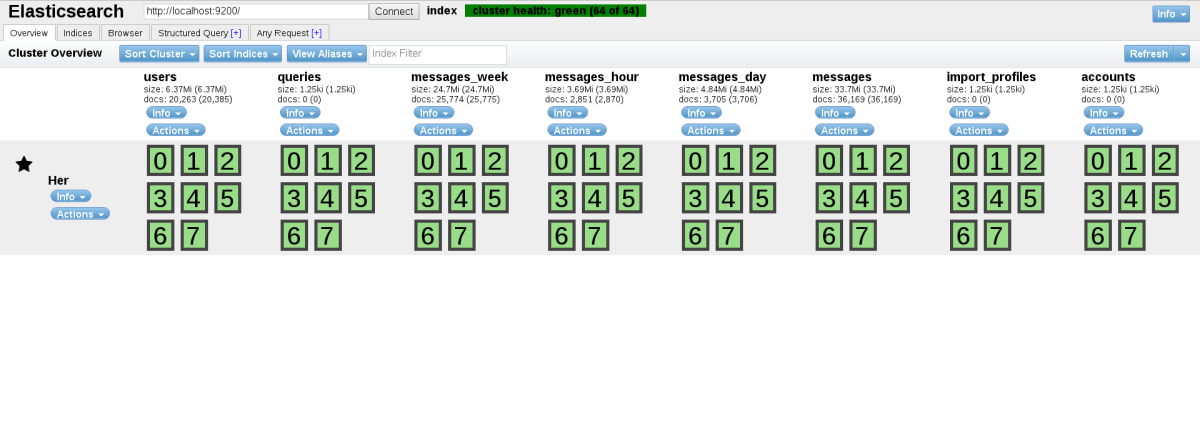
Upon connecting, the dashboard appears telling about the status of cluster –
The dashboard shown above is from the loklak project (will talk more about it).
There are 5 major sections in the UI – 1. Overview: The above screenshot, gives details about the indices and shards of the cluster. 2. Index: Gives an overview of all the indices. Also allows to add new from the UI. 3. Browser: Gives a browser window for all the documents in the cluster. It looks something like this –
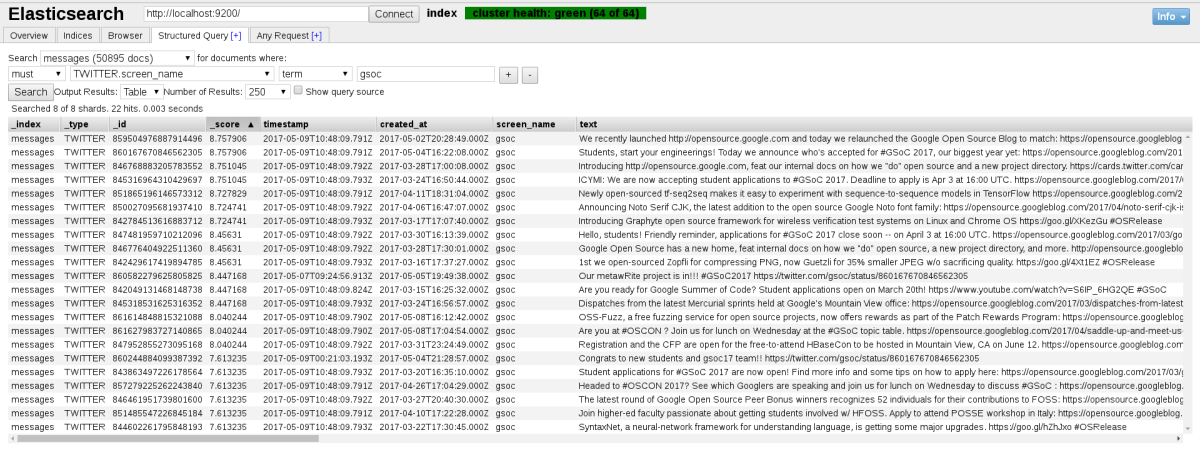
The left pane allows us to set the filter (index, type and field). The table listed is sortable. But we don’t always get what we are looking for manually. So, we have the following two sections. 4. Structured Query: Gives a dead simple UI that can be used to make a well structured request to Elasticsearch. This is what we need to search for to get Tweets from @gsoc that are indexed –
5. Any Request: Gives an advance console that allows executing any query allowable by Elasticsearch API.
A little about the loklak project and Elasticsearch
loklak is a server application which is able to collect messages from various sources, including twitter. The server contains a search index and a peer-to-peer index sharing interface. All messages are stored in an elasticsearch index.
The project uses Elasticsearch to index all the data that it collects. It uses NodeBuilder to create Elasticsearch node and process the index. It is flexible enough to join an existing cluster instead of creating a new one, just by changing the configuration file.
Conclusion
This blog post tries to explain how NodeBuilder can be used to create Elasticsearch nodes and how they can be configured using Elasticsearch Settings.
It also demonstrates the installation and basic usage of elasticsearch-head, which is a great library to visualise and check queries against an Elasticsearch cluster.
The official Elasticsearch documentation is a good source of reference for its Java API and all other aspects.
Last week, I was playing with a scraper program in Loklak Server project when I came across a library Boilerpipe. There were some issues in the program related to it’s implementation. It worked well. I implemented it, pulled a request but was rejected due to it’s maintenance issues. This wasn’t the first time an API(or a library) has let me down, but this added one more point to my ‘Linear Selection Algorithm’ to select one.
Once Libraries revolutionized the Software Projects and now API‘s are taking abstraction to a greater level. One can find many API’s and libraries on GitHub or on their respective websites, but they may be buggy. This may lead to waste of one’s time and work. I am not blogging to suggest which one to choose between the two, but what to check before getting them into use in development.
So let us select a bunch of these and give score +1 if it satisfies the point, 0 for Don’t care condition and -1 , a BIG NO.
Now initialize the variable score to zero and lets begin.
1. First thing first. is it easy to understand
Does this library code belongs to your knowledge domain? Can you use it without any issue? Also consider your project’s platform compatibility with the library. If you are developing a prototype or a small software(like for an event like Hackathon), you shall choose easy-to-read tutorial as higher priority and score++. But if you are working on a project, you shouldn’t shy going an extra mile and retain the value of score.
2. Does it have any documentation or examples of implementation
It shall have to be well written, well maintained documentation. If it doesn’t, I am ok with examples. Choose well according to your comfort. If none, at least code shall be easy to understand.
3. Does it fulfill all my needs?
Test and try to implement all the methods/ API calls needed for the project. Sometimes it may not have all the methods you need for your application or may be some methods are buggy. Take care of this point, a faulty library can ruin all your hard work.
4. Efficiency and performance (BONUS POINT for this one)
Really important for projects with high capacity/performance issues.
5. See for the Apps where they are implemented
If you are in a hackathon or a dev sprint, Checking for applications working on this API shall work. Just skip the rest of the steps (except the first).
6. Can you find blogs, Stack Overflow questions and tutorials?
If yes, This is a score++
7. An Active Community, a Super GO!
Yaay! An extra plus with the previous point.
8. Don’t tell me it isn’t maintained
This is important as if the library isn’t maintained, you are prone to bugs that may pop up in future and couldn’t be solved. Also it’s performance can never be improved. If there is no option, It is better to use it’s parts in your code so that you can work on it, if needed.
Now calculate the scores, choose the fittest one and get to work.
So with the deserving library in your hand, my first blog post here ends.
The FOSSASIA Summit 2017 was an unforgettable event thanks to everyone who helped to make it possible! We would like to thank our co-organiser the Science Centre Singapore and all sponsors, supporters, speakers and volunteers. Below are interesting numbers and facts of 2017 and information on highlights of the event.
FOSSASIA Summit 2017 Numbers & Facts
3,145 people attended the event over 3 days including 229 speakers and 60 volunteers.
41 nationalities participated in the summit: 70.8% from Singapore, followed by India, Indonesia, Germany, China, Japan, Vietnam and many others
Talks are already available as videos. Hundreds of photos have been uploaded to social networks. 2000+ tweets[tw] with the FOSSASIA hashtag were posted during the event.
FOSSASIA Summit 2017 Highlights
The three-day program with nearly 20 parallel tracks made FOSSASIA Summit the biggest open tech event in the region. One very interesting fact was the entire conference was fully managed by FOSSASIA built open source event management system, EventYay. All the technical setting was also done in-house by the FOSSASIA Team. In the effort of making the event the best experience for visitors, FOSSASIA team organized a series of extracurricular activities including pre-event meet&greet, pub crawl, culture walk, social event, see you again cocktails, and a lucky draw.
Day 1 Opening Day with Keynotes
Chan Cheow Hoe, GovTech’s Chief Information Officer, emphasized how the Singapore Government’s central information technology systems and infrastructure drive the development and delivery of innovative public services for citizens and businesses.
Chan Cheow Hoe, GovTech’s CIO, photo by Nguyen Thi Tra My
Follow-up by an interesting story by Øyvind Roti who currently leads Google’s international team of Cloud Architects. He spoke about how to get involved and contribute to the Google CloudOpen Source products and related projects, including machine learning, systems, client-side libraries and data analytics tools.
Øyvind Roti, photo by Gabriel Lee
Andrey Terekhov brought Microsoft into the Open Source picture with some insights that many were not aware of. MS actually are the top contributors to Github and they are hosting many Open Source projects themselves. Andrey explained in details Microsoft’s open source strategy and developing business in Asia Pacific region, with a particular focus on scaling up open source workloads on Microsoft Azure cloud platform.
Andrey Terekhov, Open Source Sales & Marketing Lead at Microsoft, photo by Kai En Mui
The final keynote of the day was conducted by a German privacy activist – Frank Karlitschek the founder of ownCloud and later Nextcloud, an open source and fully federated and distributed network for files and communication. As the topic of the privacy and personal data on the internet are under attack by hackers and international espionage programs, Frank shared with the audience how the Internet can be used as a free and democratic medium again.
Open Source AI Topics
The highlight of the day was the introduction of SUSI AI – FOSSAISA’s Open Source Personal Assistant. Michael Christen, founder and also core developer talked about SUSI’s current development stage as well as project’s ambition and the plan for the future. He demonstrated some amazing things you can do with SUSI such as searching for locations, finding translations in over 100 languages, asking SUSI travel information, weather etc. One of the exciting features is the auto-improvement ability: the more you interact with SUSI, the better and accurate its answers become. Michael also showed the audience how they can actually contribute and create the largest corpus of knowledge for SUSI AI Assistant.
Michael Christen about SUSI AI, OpenAI and the role of Elon Musk, photo by Michael Cannon
Liling Tan, a data scientist from Rakuten, spoke about Natural Language Processing (NLP) which is the task of the computationally understanding and production of human languages, often using a mix of hand-crafted rules and machine learning techniques. Konrad Willi Döring brought AI to next level when he presented the Brainduino Project including a brief introduction to EEG-based brain-computer interfaces as well as a look into the future of BCI technology.
Konrad Willi Döring Brainduino Project, photo by Michael Cannon
FOSSASIA’s favorite speaker, Andrew “bunnie” Huang, came back with “Let’s Make Technology more Inclusive”. Bunnie and his team examined some of the cultural and technological barriers that have stymied inclusiveness, using gender imbalance as a case study. They later on, proposed a solution called “Love to Code”, which attempts to address the issue of inclusiveness in technology.
The day finished with a panel discussion on The Future of AI with a diverse group of five panelists: Andrew Selle (Google Brain Team, US), Steffen Braun (KI Group), Michael Christen (SUSI AI), Harish Pillay (Internet Society), Bunnie Huang (Chibitronics PTE LTD)
It was a very interactive session between speakers and attendees, discussing the possibilities and implications of AI.
From September 2016 to February 2017, FOSSASIA held a CodeHeat contest to encourage more developers to get involved and contribute to the FOSSASIA open source projects, namely Open Events Orga Server, AskSUSI project, and LokLak. 442 developers had joined the contest, over a thousand pull requests were made during over this 6 months period of CodeHeat. Three winners and two finalists from the top 10 contributors who have contributed awesome code were chosen to fly to Singapore for the FOSSASIA Summit 2017 to share what they’ve done, and meet the open source community gathered here.
CodeHeat Award Ceremony, photo by Michael Cannon
PubCrawl
A get-together at Pubcrawl has become a tradition of every FOSSASIA Summit. At the end of the first day, speakers and participants met at Chinatown and started a fun evening strolling around various pubs, tasting local beverages and specialties. The hang-out has always been a great opportunity for speakers to carry on their unfinished conversations during the day as well as to enhance the friendship among visitors and residents.
Pub Crawl, photo by Ben SadeghiAndrew “bunnie” Huang, Brady Forrest and Sean “Xobs” Cross at the Pub Crawl, photo by Ben Sadeghi
Day 2 Extensive Day of Workshops and Presentations
FOSSASIA Summit Day 2 is always the busiest day with an extensive program starting from 9 am until 6:30 pm. Dedicated tracks included Startup and Business Development – Database PGDay – Open Tech Google Track – Python – Hardware & Making DevOps – Security and Privacy – Science – Android – Debian Mini-Debconf – Tech Kids – Open Source Software – Health Tech – Web & Mobile – Kernel & Platform – AI & Machine Learning
Open Tech – Google Open Source Track
Stephanie Taylor, the Program Manager at Google Open Source Outreach team gave an educational talk about Google Code-in program as an early opening of the Google’s Open Tech Track. This introduction was favored by local students as well as young international developers. In the following topic about Future of the Web, Anuvrat Rao introduced the latest open technology to address critical user needs on the open web.
Stephanie Taylor and GCI 2016 Students
Andrew Selle from Google Brain Team carried on the session with an overview of the open source software library TensorFlow and discussed how the open source community has shaped its development and success. Devan Mitchem introduced The Chromebook, a new, faster computer that offers thousands of apps. He also showed the audience how to integrate and experience Android apps on this machine for greater productivity and flexibility. Denis Nek wrapped up Google’s Tracks by a talk about Model–view–viewmodel (MVVM), a software architectural pattern. In this last topic, he explained why and how he could solve many common problems of android developers using this approach.
Tech Kids Track
Followed up the success of 2016’s summit, FOSSASIA 2017 extended Tech Kids Track throughout its 3-day event. Many parents brought their kids along to attend the talks and workshops. Most importantly, these young attendees showed their great interest in Open Technology. The kids’ voluntary participation in the tracks completed the aim of FOSSASIA in fostering education at a young age. With the power of open knowledge, we believe the bright future of world leaders start from today’s education.
Elda Webb and Creativity workshop, photo by Ka Ho Ying
Kids workshops covered topics such as Git for beginners, software translation with WebLate, PyGame 101 Codelab, how to developer your first mobile app, make a DIY paper spectrometer, create a promotion video with open source tools etc.
Kids and guardians learn how to work with Git, photo by Ka Ho Ying
This fun and educational workshop was organized by Microsoft Open Source Team. In this rescue mission, attendees learned to create a bot using an open source framework and tools. They were given access to MS code repositories and other technical resources. Workshop participants had to complete 3 missions and 2 code challenges in order to bring the Mars mission back on track. It was pretty challenging but at the same time super exciting.
Mission Mars’ Winner and Mentors
Python Track
Python Track has always attracted good audience’s response since 2015. In this year summit, the track covered very informative topics ranging from metaclasses in Python 2 and 3, computing using Cython to Go-lang (a new open source programming language), Pygame 101, the effective use of python in Science and Maths with live demos of successful experiments etc.
PyGame 101 Codelab Workshop
A 2-hour workshop was conducted by Kushal Das giving the audience the overview of MicroPython, how to update NodeMCU devices with MicroPython firmware and using sensors with NodeMCU for their first IoT device.
MicroPython workshop using NodeMCUPython Mentors, photo by Ka Ho Ying
Database Track – PostgreSQL Day
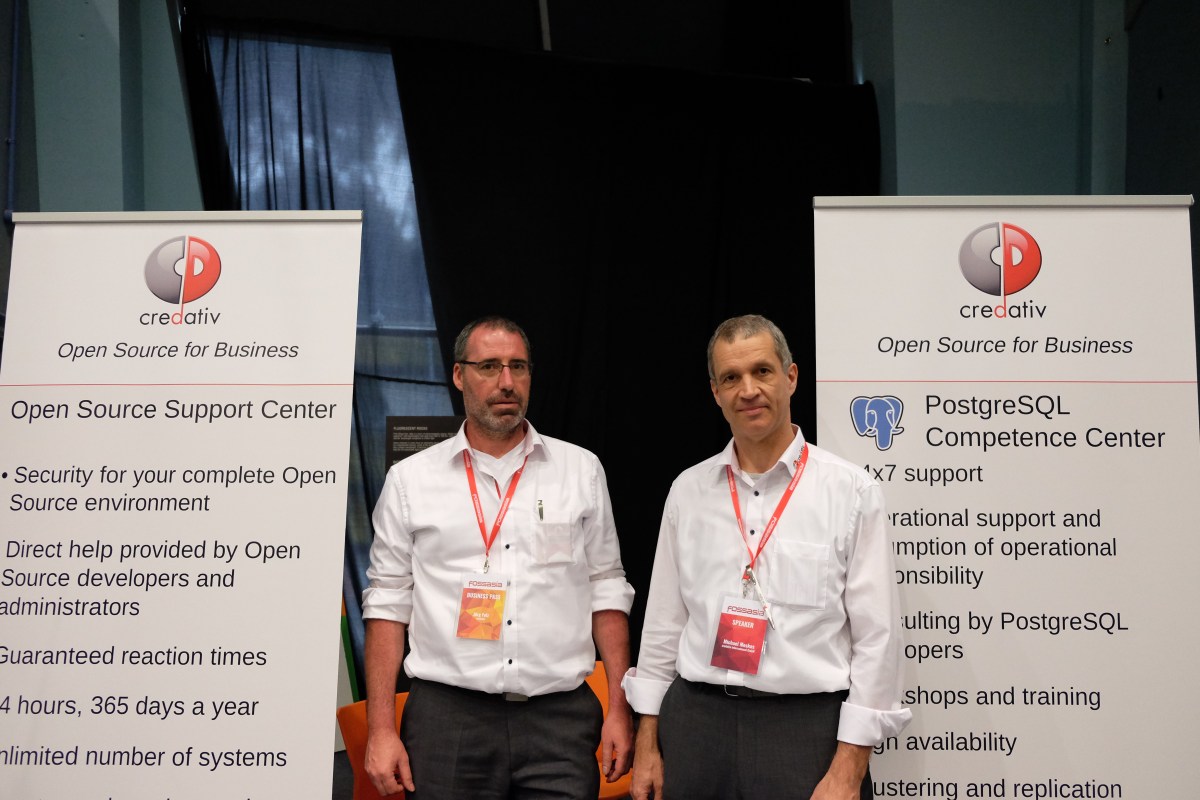
This was the second year FOSSASIA hosted PGDay. We were delighted to welcome amazing speakers like Dr. Michael Meskes (founder and CEO of credativ Group), Maksym Boguk (co-founder of PostgreSQL consulting), and many other PostgreSQL developers and consultants across the globe.
It was very interesting to learn how an open source database, PostgreSQL, has rapidly extended its application into the enterprise sector, one of the examples was how PostGIS is being by agricultural producer in Australia.
PGDay at FOSSASIA Summit 2017
Day 3 More sessions and the final keynote by Daimler’s Representatives
Day 3 Dedicated Tracks consisted of Hardware & Making – Tech Kids – Science – Android – Blockchain – Open Tech – AI & Machine Learning – Internet, Society & Politics – Web & Mobile – Security and Privacy – DevOps – Database MySQL Day – Design, Art, Community – Open Source Software.
It was wonderful to have two special guests from Daimler headquarter in Stuttgart – Jan Michael Graef (CFO of CASE) and Vlado Koljibabic (leads IT for the new CASE business and COO of the Digital and IT organization). The presence of Daimler, a traditional corporate business in the open source world was not only well received by the audience but also triggered an excitement and the curiosity of the crowd: What is the background of the growing involvement and support of Open Source by Daimler?
Daimler in the house: Danial, Vlado, Hong Phuc, Jan and Mario, photo by Michael Cannon
Daimler AG is known for one of the world’s most successful automotive companies. With its Mercedes-Benz Cars, Daimler Trucks, Mercedes-Benz Vans, Daimler Buses, and Daimler Financial Services divisions. The Group is one of the leading global suppliers of premium cars and is the world’s largest manufacturer of commercial vehicles. At FOSSASIA Summit 2017, Jan and Vlado made an introduction to CASE – these letters will shape the future of Mercedes-Benz Cars. They stand for the strategic pillars of connectivity (Connected), autonomous driving (Autonomous), flexible use (Shared & Services) and electric drive systems (Electric), which will be intelligently combined with one another by the company.
Jan Michael Graef and Vlado Koljibabic from Daimler, photo by Ka Ho Ying
In their talk Vlado and Jan outlined how Daimler recognizes the power of Open Source development and we had the chance to get insights into some very exciting ideas how Daimler is planning to shape the logistics sector with services based on Open Source technologies. The company is even considering cryptocurrency payments for services in the future and is already working on using Blockchain technologies for its automobile services for logistics companies.
Web & Mobile Track – featured OpenEvent (EventYay) System
Finally, there is an Open Source event management system said Mario Behling, founder of open-event (eventyay) and the summit’s co-organiser. During the last two years, the FOSSASIA team has been working on a complete functional open source solution for event organisers. More than 5,000 commits have been made from more than 100 developers worldwide. The hosted solution of the application is available at EventYay.com and ready to be tested as an Alpha product.
The system enables organizers to manage events from concerts to conferences and meet-ups. It offers features for events with several tracks and venues. Event managers can create invitation forms for speakers, build schedules in a drag and drop interface, implement ticketing system and much more. The event information is stored in a database. The system also provides API endpoints to fetch the data, and to modify and update it. Organizers can import and export event data in a standard compressed file format that includes the event data in JSON and binary media files like images and audio.
OpenEvent Scheduler – Drag & Drop interface
The Open-event core team of 7 senior developers came together at the FOSSASIA summit to showcase the latest development, make live demos, conduct deployment workshops and discuss future applications.
Featured Open Event presentations and workshops:
Better Events with Open Event | Mario Behling
Deploy Open Event Organizer Server | Saptak Sengupta
Scaling Open Event Server with Kubernetes | Niranjan Rajendran
Open Event API | Avi Aryan
Open Event Web App | Aayush Arora
An Introduction to the Open Event Android Project and it’s capabilities| Manan Wason
Agile Workflow and Best Practices in the Open Event Android App Generator Project | Harshit Dwivedi
This year FOSSASIA proudly hosted MySQL Day within the database track. 12 senior developers/speakers from Oracle around the world got together at the summit. 14 scheduled talks and workshop were conducted. Beginning with Sanjay Manwani, MySQL Director from India, he talked about ‘the State of the Dolphin’, sharing an overview of the recent changes in MySQL and the direction for MySQL 8 as well as an introduction to Oracle cloud. The day continued with selective topics from MySQL optimizer features to in-depth workshops such as MySQL operations in Docker – workshop or MySQL Performance Tuning.
Additionally, Ricky Setyawan organized an unconference session or a MySQL Community Meetup Space where he invited the community members to meet and to start a direct conversation with MySQL’s developers.
See you again Cock-Tails
After the closing session, FOSSASIA attendees were invited by Daimler to join an after-event cocktail party. People were happy for the chance to finish up their discussions while enjoying the nice view of the city from a spacious balcony with finger food, drinks and good music from the local band.
Engineers.SG Team, photo by Ka Ho YingPhoto by Nguyen Thi Tra MyFOSSASIA regular friends Felix Dahmen, Joerg Henning & Emin Aksehirli, photo by GunessMusic performance by a local band
Exhibition and Networking Space at FOSSASIA Summit
The biggest goal of the FOSSASIA Summit is to bring people across borders together at a physical space where they can freely share, showcase, discuss and collaborate on existing projects or new ideas. We are happy to see many open source communities across Asia at this year’s gathering. What could be better than a face-to-face discussion over coffee with people who shared the same vision and belief: ‘With open technologies, we can make the world a better place’
Google Cloud Team at FOSSASIADietrich Ayala from Mozilla sharing details about A-frame with attendeesOpen Hardware corner with Dan and Kiwi, FOSSASIA organizersSindhu Chengad explained Open Source at MicrosoftOpenSUSE BoothMichael Meskes (right) and Engineer from Credativ GermanyMatthew Snell from xltech.io, SingaporeMySQL Team, photo by Michael CannonThomas Kuiper from gandi.net, Taiwan, photo by Michael CannonMen gathering at Pyladies Pune tableWan Leung Wong from TinyBoy 3D printer project, HongkongFresh coffee in the house
FOSSASIA What’s Next?
Mark your calendar for the next FOSSASIA Summit, which will take place in March 2018. We are looking forward to seeing you again in Singapore. If you are meetup organizers, community leaders, we would like to invite you to host a track at the next FOSSASIA Summit, please write to us about your experience and contribution in the open source world via office@fossasia.org
As always thanks to Michael Cheng and Engineers.SG team for all the videos, thanks to our photographers Michael Cannon, Ka Ho Ying and the team for capturing some of the very best moment of us. You can search for more photos by typing #fossasia on loklak (or alternatively on Twitter) or Flickr. If you also want to share photos you took during the summit, please add them to the group pool.
The FOSSASIA Summit 2017 takes place from Friday March 17 – Sunday March 19 at the Science Centre Singapore. We are now inviting Open Source contributors to apply for a free stay in a Singapore hostel and a free ticket to the event. All you have to do is convince us, that you are an awesome Open Source contributor!
The details
Developers from all over the world are joining the FOSSASIA Summit. We want to connect established and new Open Tech contributors alike. Therefore FOSSASIA is supporting the Open Source community to join the event by offering 100 free nights stay at a hostel in the centre of Singapore and a free ticket to the event. All you have to do is to fill in the form with information that convinces us that you are an awesome contributor in the Open Source community.
Step 2: We will get back to you at latest within 3 days after the deadline if you are selected. But, also we are choosing very convincing applicants on an ongoing basis. So, the earlier you apply the higher your chances to get a free stay might be.
Step 3: The selected applicants will need to confirm their itinerary and tickets before March 1st to re-assure their free stay in Singapore.
Expectations of Participants – Share what you learn
1. Please support volunteers, speakers and participants at the event. Let’s bring all this good spirit of sharing Open Technologies and learning together!
2. Help to reach out to participants who cannot join us at the event. For example make some tweets, share what you learn on social media, publish photos and put up blog posts about the summit.
In Open event web app, the user can provide URL of social links such as Twitter, Facebook etc in the event.json file inside the ZIP. The previous functionality was to use Twitter API and to generate a timeline showing the tweets of the twitter URL mentioned in event.json by user. But, it can be done by following another approach which reduces the third party dependency i.e Loklak-webtweets.
I have implemented the twitter section using loklak webtweets which can be done very easily.
Step 1: Including necessary files from loklak–webtweets repository inside index.html. You can find them in js/ folder of this repository.
Step 2: Specify the data source in HTML from which twitter data will be fetched. Here I have extracted the last word from the twitter URL provided by the user and passed it to HTML.
This code will search twitter link in social links array present in event.json and get its last character which will be provided to data-from and data-query attribute of HTML.
Last week I migrated FOSSASIA’s blog from Drupal to WordPress and it was an amazing learning experience.
The steps one can use for migration are as follows:
Create a WordPress website:
In order to convert your drupal website to wordpress, you need to have a wordpress site where the data will be imported. By WordPress site, I mean a local installation where you can test whether the migration worked or not.
Truncate default posts/pages/comments:
Once you have your WP installation ready, truncate the default pages,comments etc from your wordpress database.
Import your Drupal DB to your local mysql installation where you have your WP database. Why? because you need to do a lot of “data transfer”!
Drupal Database
Execute a lot of scripts (Just kidding!):
There are some pretty useful online references which provide the required mysql scripts to migrate the data from Drupal to WordPress DB with proper formatting. Look here and here.
Depending on the kind of data you have you might need to do some modifications. e.g. depending on whether you have tags or categories/sub-categories in your data, you might have to modify the following command to suite your needs.
INSERT INTO wordpress.wp_terms (term_id, name, slug,
term_group)
SELECT
	d.tid,
	d.name,
	REPLACE(LOWER(d.name), ' ', '-'),
	0
FROM drupal.taxonomy_term_data d
INNER JOIN drupal.taxonomy_term_hierarchy h USING(tid);
Recheck if entire data has been imported correctly:
Once you execute the scripts error free. Check if you imported the DB data (users/taxonomies/posts) correctly. Since WP and Drupal store passwords differently, you would have to ask your users/authors/admins to change their passwords on the migrated blog. We are almost there!! (not quite).
Transfer media files to WP and map them to Media:
You would have to transfer your media (pics, videos, attachments etc) to your WordPress installation from Drupal site.
Put them under wp-content/uploads/old or any other suitable directory name under wp-content/uploads/.
Once you are done with it! In order to add the files to “Media” under Admin Panel, you can use plugins like Add from Server which map your files to folder “Media” expects your files to be in.
Change the permalinks (optional):
Depending on default permalinks of your Drupal blog, you might have to change the permalink format.
To do that, go to <Your_WP_Site>/wp-admin/options-permalink.php
You can change the permalink structure from one of the many options you are provided.
Add themes as you may. Upload your WordPress site online. And we are done!!
FOSSASIA 2016 took place from 18th -20th March in Singapore. Hong Phuc Dang, Mario Behling, Harish Pillay, and Roland Turner were leading the organization efforts for the 2016 summit supported by many volunteers, speakers and the community. With a good mix of 37 nationalities, we are proud to be one of most international developer events in Asia.
We would like to especialy thank our host venue and the wonderful team of the Science Centre Singapore, our partner UNESCO Youth Mobile and our sponsors Red Hat, Google, GitHub, MySQL, Hewlett-Packard Enterprise, gandi.net, General Assembly and the Internet Society Singapore for their support and participation. Thanks to everyone who helped to make FOSSASIA 2016 in Singapore possible!
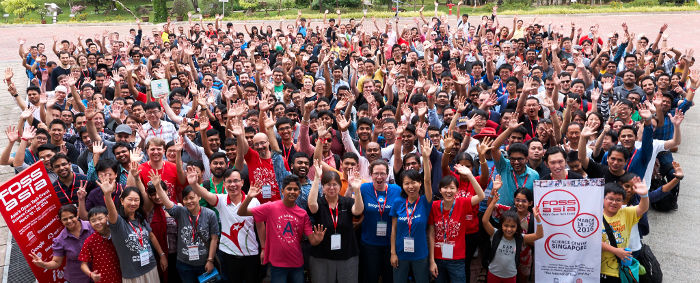
FOSSASIA 2016 Group Photo at Science Centre Singapore by Michael Cannon
FOSSASIA’16 NUMBERS & FACTS
We reached the number of 2,917 attendees over 3 days including 230 speakers and 72 volunteers.
With a good mix of 37 nationalities, we are proud to be one of most international developer events in Asia.
There were 201 scheduled sessions and lightning talks, and more 50 exhibitors.
This was the first year we organised Tech Kids program with 14 hands-on workshops that covered Mobile Development, Electronics, Digital Fabrication, Pocket Science and 3D Modeling.
Dozens of talks are already available as videos. Thousands of photos have been uploaded to social networks. 1500+ tweets with the FOSSASIA hashtag were posted during the event.
A trend analysis of FOSSASIA shows that web technologies, data analytics and Internet of Things have a huge momentum. The attention of developers is also increasingly turning to open hardware.
Opening HallMario Behling the superman behind our programCat Allman
Happy Volunteers
Day 1 Opening of FOSSASIA
The first day started at the OpenTech and IoT track with a warm welcome message from Mr. Lim Tit Meng, the director of Science Centre, follow by some of our keynotes including Cat Allman with her inspiring story on Science & Education Program at Google; Harish Pillay with his intriguing title ‘A Funny Thing Happened On My Way To The Science Centre’ revealing the history of Internet and Open Source; Bernard Leong caught a huge attention on ‘Rethinking Drone Delivery with Open Source’; and Davide Storti introduced the exciting MobileYouth Program at UNESCO. The day continued with many other interesting talks/discussions and five other tracks were opened that afternoon of the same day namely Tech Kids, Hardware and IoT, DevOps, Big Data, Internet Society and Community.
Day 2 Intensive day of workshops and more discussion
Stephanie Taylor opened the second day of FOSSASIA with her informative presentation on Google Summer of Code Program and Google Code-In. Many GSoC and GCI students from Asia attended this year FOSSASIA. The day continued with series of workshops and discussions on Hardware, IoT, and DevOps. Four new tracks were added into the program including OpenTech Workshop, Python, WebTech and Databases.
Popular DevOps Track
Harish Pillay proudly presenting his first computer
Day 3 Hack Sunday and the closing notes
At the last day, we opened another three new tracks: Privacy and Security, Linux and MiniDebConf, Design VR and 3D. More hacking activities took place on Sunday. Participants formed in-depth discussion groups.
People gathering at the closing
Exhibition
More than 50 project booths and hand-on demos were set up in the Science Centre’s public space where participants could hang out, chat, discuss, share, learn, and hack.
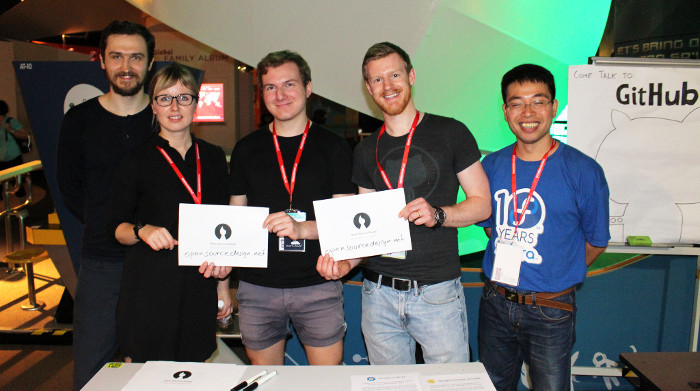
Nanyang Polytechnic teacher and students presenting their Student Enrich ProgramExhibition hallUNESCO YouthMobile InitiativeSnapshot of Red Hat booth – Developers ChatGitHub corner
FOSSASIA – a place of friendship and joy.
As always thanks to our photographer Michael Cannon and his team for capturing some of the very best moment of us. You can search for more photos by typing #fossasia on Twitter or Flickr. If you also want to share some photos you took during FOSSASIA with us, please get in touch with me hp@fossasia.org
Excited developers from across Asia
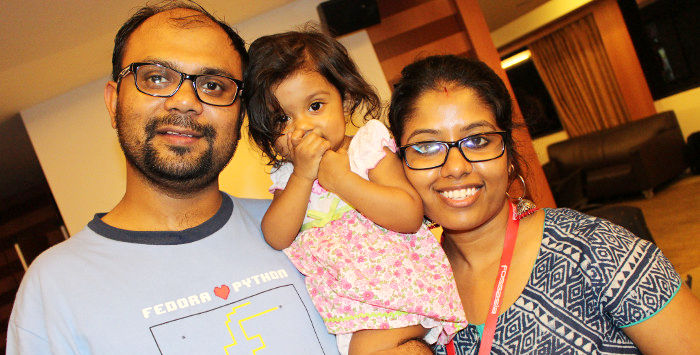
Baby Py with her parents at the social event
What’s next in 2016?
FOSSASIA will again participate at Google Summer of Code
Call for collaboration: We welcome new contributors to FOSSASIA current projects
From December 27-30 the 32C3 Chaos Communication Congress took place in Hamburg, Germany. Members of the FOSSASIA community met at the event to learn about the latest OpenTech hacks. We used the opportunity to work with mentors on our coding program for kids. See photos from our gathering here.
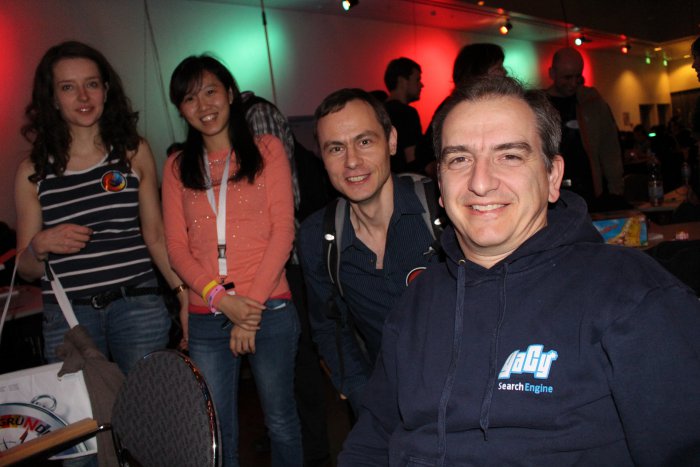
Meetup with FOSSASIA mentors and supporters from Europe Michael Christen (Yacy.net/loklak), Jan Suhr (Nitrokey), Hong Phuc Dang (FOSSASIA), Anna (Mozilla)
An exciting summer is behind us, where we had lots of students coding on summer of code projects. Check out some of the outcome on our project repositories. For example the Open Event project, our twitter harvester and search engine loklak.net [repo] or the activities at our FashionTec knitapps project with lots of interesting blog articles.
FOSSASIA Science Hack
What else happened? FOSSASIA’s Hong Phuc is working on organizing Science Hack events across Asia in cooperation with Science Hack Day. She is now an official Ambassador. Congratulations! You can meet her in the US at the San Francisco Science Hack Day on October 24-25, 2015 at GitHub HQ.
FOSSASIA Participants Present at Meshcon @Maker Faire Berlin + Free Tickets
FOSSASIA participants are present at Meshcon@Maker Faire Berlin on Saturday, October 3rd. Meshcon brings together Mozilla’s Firefox Open Web makers, IoT experts, industry representatives, fashion designers, local producers, knitters, textile manipulators, software developers and DIY hardware makers. We will have a stand in the club area. So if you are there, please come over and talk to us.
And, if you are in Berlin and still need a ticket, we might be able to help you out. FOSSASIA is an official partner and we got free tickets. Please go to http://meshcon.net, choose your ticket and enter the code FLDUXH on the next page.
The event starts at 10am (until 6pm) on Sat. 3rd Oct. 2015 at Postbahnhof Club at Berlin Ostbahnhof. On top of topics around Fashion and technology, we are coding, doing usability tests and hack for refugees. The schedule of talks is available here: http://meshcon.net/schedule.pdf
130 projects will showcase their work at the Maker Faire. Workshops include FOSSASIA’s machine knitting project, 3D printing, and Arduino tinkering:
Working on ExpEYES in the last few months has been an amazing journey and I am gratful of the support of Mario Behling, Hong Phuc Dang and Andre Rebentisch at FOSSASIA. I had a lot of learning adventures with experimenting and exploring with new ideas to build sensor plug-ins for ExpEYES. There were some moments which were disappointing and there were some other moments which brought the joy of creating sensor plug-ins, add-on devices and GUI improvements for ExpEYES.
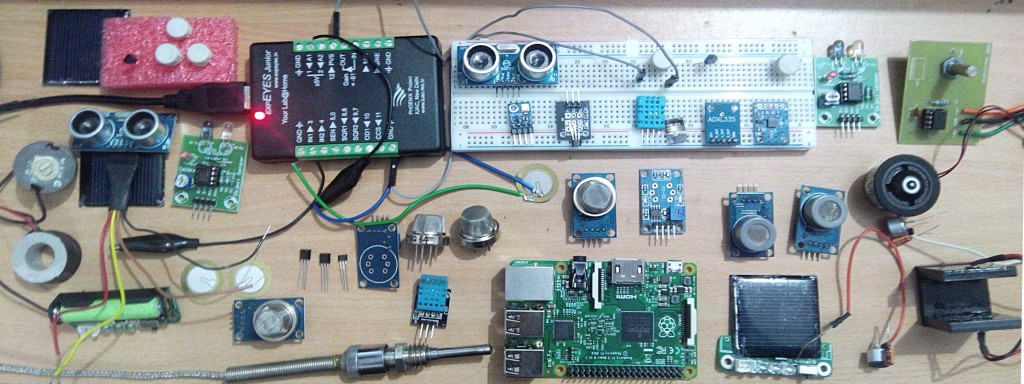
My GSoC Gallery of Sensors and Devices: Here are all the sensors I played with for PSLab..
The aim of my project is to develop new Sensor Plug-ins for ExpEYES to measure a variety of parameters like temperature, pressure, humidity, wind speed, acceleration, tilt angle, magnetic field etc. and to provide low-cost open source laboratory equipment for students and citizien scientists all over the world.
We are enhancing the scope of ExpEYES for using it to perform several new experiments. Developing a low-cost stand alone data acquisition system that can be used for weather monitoring or environmental studies is another objective of our project.
I am happy to see that the things have taken good shape with additional gas sensors added which were not included in the initial plan and we have almost achieved all the objectives of the project, except for some difficulties in calibrating sensor outputs and documentation. This issue will be solved in a couple of days.
Experimenting with different sensors in my kitchen laboratory
I started exploring and experimenting with different sensors. After doing preliminary studies I procured analog and a few digital sensors for measuring weather parameters like temperature, relative humidity and barometric pressure. A few other sensors like low cost piezoelectric sensor, accelerometer ADXL-335, Hall effect magnetic sensor, Gyro-module etc were also added to my kitchen laboratory. We then decided to add gas sensors for detecting Carbon Monoxide, LPG and Methane.
With this development ExpEYES can now be used for pollution monitoring and also in safety systems in Physics/chemistry laboratory. The work on the low-cost Dust Sensor is under progress.
Challenges, Data Sheet, GUI programs
I had to spend a lot of time in getting the sensor components, studying their data sheets, soldering and setting them up with ExpEYES. And then little time in writing GUI Programs. I started working almost 8 to 10 hours every evening after college hours (sometimes whole night) and now things have taken good shape.
Thanks to my mentor at FOSSASIA for pushing me, sometimes with strict words. I could add many new sensor plug-ins to ExpEYES and now I will also be working on Light sensors so that the Pocket Science Lab can be used in optics. With these new sensor plug-ins one can replace many costly devices from Physics, Chemistry, Biology and also Geology Lab.
What’s next? My Plan for next steps
Calibration of sensor data
Prototyping stand-alone weather station
Pushing data to Loklak server
Work on PSLab@Fossasia website
Fossasia Live Cd based on Lubuntu with ExpEYES and other educational softwares
Set-up Documentation for possible science experiments with the sensor plug-ins and low-cost, open source apparatus







 FOSSASIA 2016 Group Photo at Science Centre Singapore by
 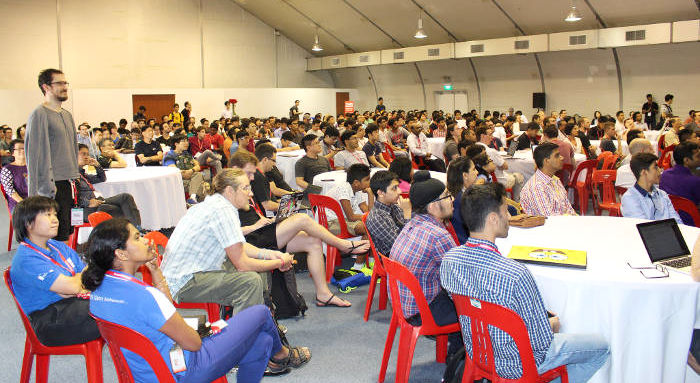 Opening Hall
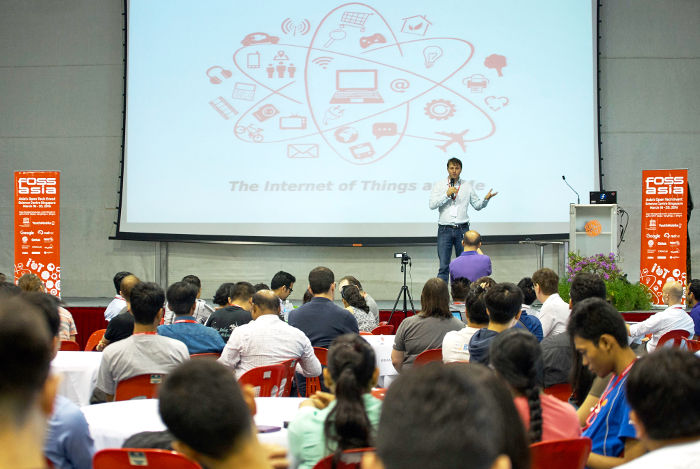 Mario Behling the superman behind our program
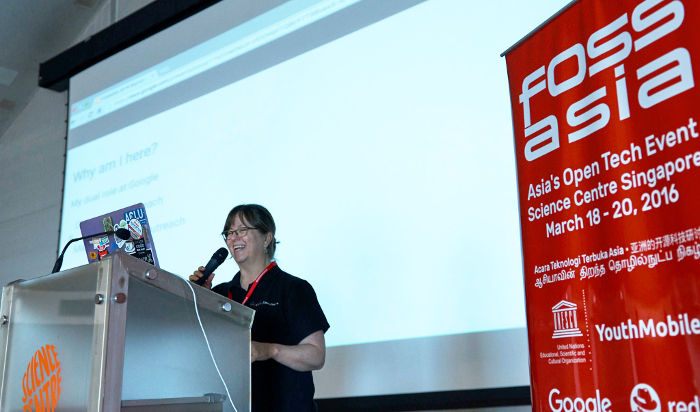 Cat Allman
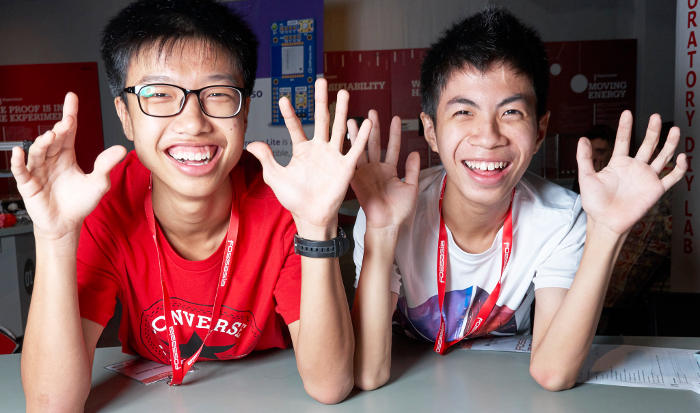 Happy Volunteers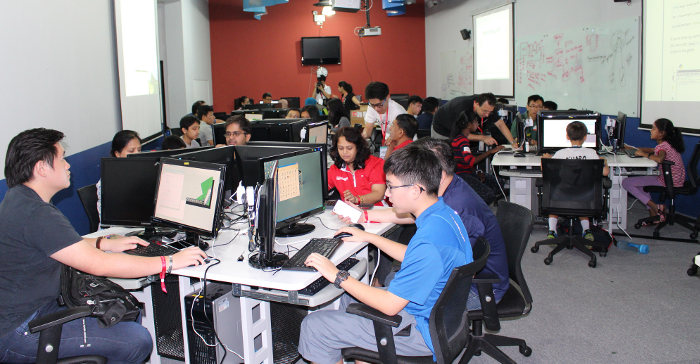
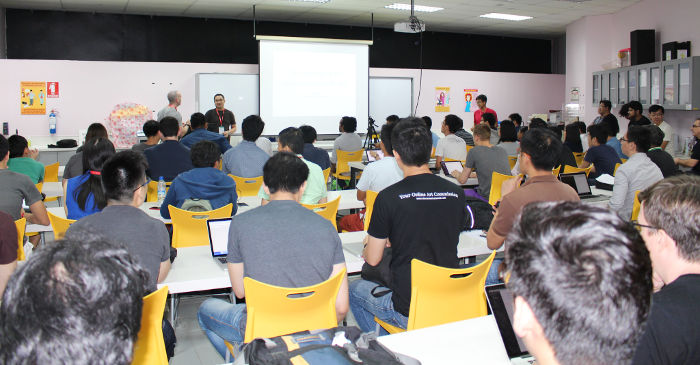 Popular DevOps Track
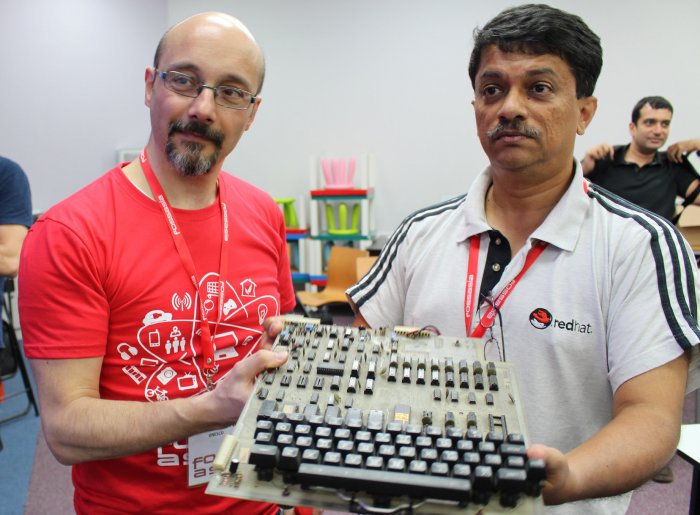 Harish Pillay proudly presenting his first computer
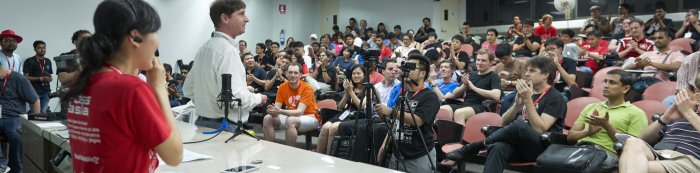 People gathering at the closing
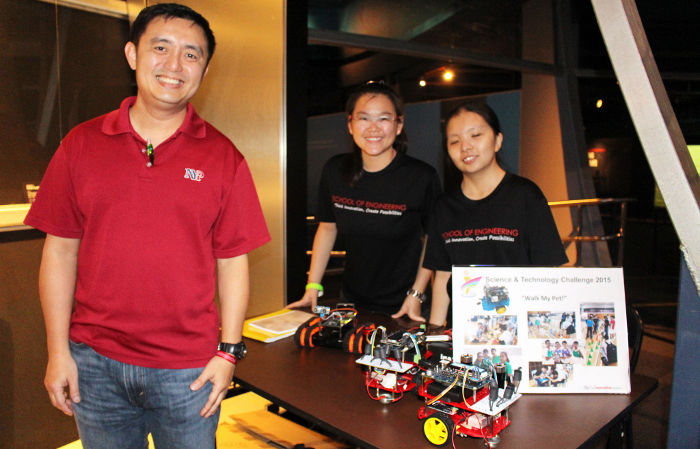 Nanyang Polytechnic teacher and students presenting their Student Enrich Program
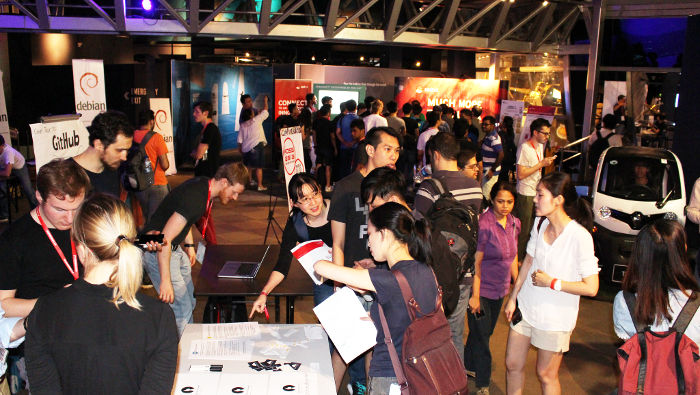 Exhibition hall
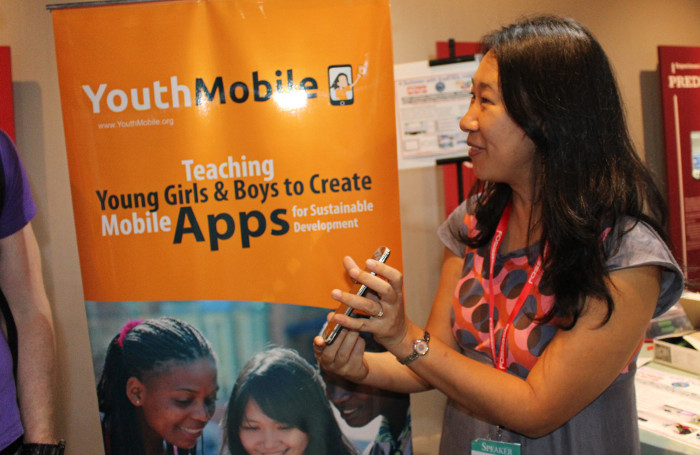 UNESCO YouthMobile Initiative
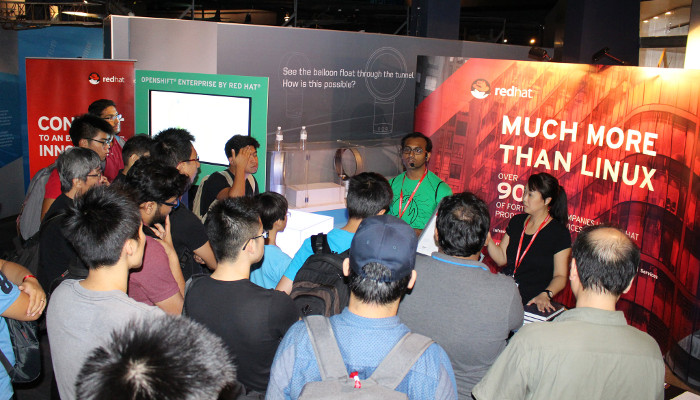 Snapshot of
  GitHub corner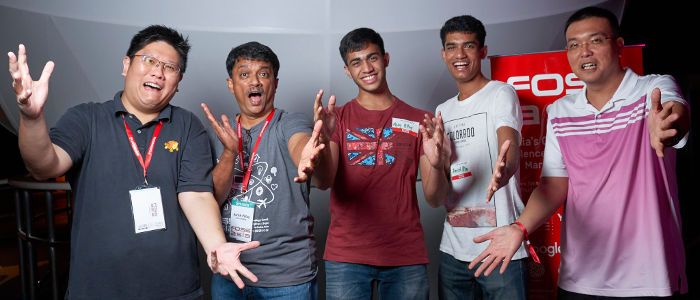
 Hong Phuc Dang meeting
  Meetup with FOSSASIA mentors and supporters from Europe Michael Christen (
You must be logged in to post a comment.