
Integrating Travis CI and Codacy in PSLab Repositories
Continuous Integration Testing and Automated Code Review tools are really useful for developing better software, improving code and overall quality of the project. Continuous integration can help catch bugs by running tests automatically and to merge your code with confidence.
While working on my GsoC-16 project, my mentors guided and helped me to integrate Travis CI and Codacy in PSLab github repositories. This blog post is all about integrating these tools in my github repos, problems faced, errors occurred and the test results.
 Travis CI is a hosted continuous integration and deployment system. It is used to build and test software projects hosted on github. There are two versions of it, travis-ci.com for private repositories, and travis-ci.org for public repositories.
Read : Getting started with Travis CI
Travis is configured with the “.travis.yml” file in your repository to tell Travis CI what to build. Following is the code from ‘.travis.yml‘ file in our PSLab repository. This repo contains python communication library for PSLab.
language: python
python:
  - "2.6"
  - "2.7"
  - "3.2"
  - "3.3"
  - "3.4"
# - "3.5"
# command to install dependencies
# install: "pip install -r requirements.txt"
# command to run tests
script: nosetests
With this code everything worked out of the box (except few initial builds which errored because of missing ‘requirements.txt‘ file) and build passed successfuly 🙂 🙂
Later Mario Behling added integration to FOSSASIA Slack Channel.
Slack notifications
Travis CI supports notifying Slack channels about build results. On Slack, set up a new Travis CI integration. Select a channel, and you’ll find the details to paste into your ‘.travis.yml’. Just copy and paste the settings, which already include the proper token and you’re done.
The simplest configuration requires your account name and the token.
notifications:
  slack: '<account>:<token>'
notifications:
  slack: fossasia:***tokenishidden****
Import errors in Travis builds of PSLab-apps Repository
PSLab-apps repository contains PyQt bases apps for various experiments. The ‘.travis.yml‘ file mentioned above gave several module import errors.
$ python --version
Python 3.2.5
$ pip --version
pip 6.0.7 from /home/travis/virtualenv/python3.2.5/lib/python3.2/site-packages (python 3.2)
Could not locate requirements.txt. Override the install: key in your .travis.yml to install dependencies.
0.33s$ nosetests
E
======================================================================
ERROR: Failure: ImportError (No module named sip)
The repo is installable and PSLab was working fine on popular linux distributions without any errors. I was not able to find the reason for build errors. Even after adding proper ‘requirements.txt‘ file, travis builds errored.
On exploring the documentation I could figure out the problem.
Travis CI Environment uses separate virtualenv instances for each Python version. System Python is not used and should not be relied on. If you need to install Python packages, do it via pip and not apt. If you decide to use apt anyway, note that Python system packages only include Python 2.7 libraries (default python version). This means that the packages installed from the repositories are not available in other virtualenvs even if you use the –system-site-packages option. Therefore I was getting Import module errors.
This problem was solved by making following changes in the ‘.travis.yml‘ file
language: python

python:
  #- "2.6"
  - "2.7"
  #- "2.7_with_system_site_packages"
  - "3.2"
  #- "3.2_with_system_site_packages"
  - "3.3"
  - "3.4"
before_install:
    - sudo mkdir -p /downloads
    - sudo chmod a+rw /downloads
    - curl -L http://sourceforge.net/projects/pyqt/files/sip/sip-4.16.5/sip-4.16.5.tar.gz -o /downloads/sip.tar.gz
    - curl -L http://sourceforge.net/projects/pyqt/files/PyQt4/PyQt-4.11.3/PyQt-x11-gpl-4.11.3.tar.gz -o /downloads/pyqt4.tar.gz
    # Builds
    - sudo mkdir -p /builds
    - sudo chmod a+rw /builds

install:
    - export DISPLAY=:99.0
    - sh -e /etc/init.d/xvfb start
    - sudo apt-get install -y libqt4-dev
    - sudo apt-get install -y mesa-common-dev libgl1-mesa-dev libglu1-mesa-dev
#    - sudo apt-get install -y python3-sip python3-sip-dev python3-pyqt4 cmake
    # Qt4
    - pushd /builds
    # SIP
    - tar xzf /downloads/sip.tar.gz --keep-newer-files
    - pushd sip-4.16.5
    - python configure.py
    - make
    - sudo make install
    - popd
    # PyQt4
    - tar xzf /downloads/pyqt4.tar.gz --keep-newer-files
    - pushd PyQt-x11-gpl-4.11.3
    - python configure.py -c --confirm-license --no-designer-plugin -e QtCore -e QtGui -e QtTest
    - make
    - sudo make install
    - popd
 # - "3.5"
# command to install dependencies
#install: "pip install -r requirements.txt"
# command to run tests
script: nosetests

notifications:
  slack: fossasia:*****tokenishidden*******

Codacy is an automated code analysis and review tool that helps developers ship better software, faster. With Codacy integration one can get static analysis, code complexity, code duplication and code coverage changes in every commit and pull request.
Read : Integrating Codacy in github is here.
Codacy integration has really helped me to understand and enforce code quality standard. Codacy gives you impact of every pull request in terms of quality and errors directly into GitHub.

Codacy also grades your project in different categories like Code Complexity, Compatibility, security, code style, error prone etc. to help you better understand the overall project quality and what are the areas you should improve.
Here is a screen-shot of Codacy review for PSLab-apps repository.

I am extremely happy to share that my learning adventure has got Project Certification at ‘A’ grade. Project quality analysis shows that more than 90% of the work has ‘A‘ grade 🙂 🙂
Travis CI and Codacy Badges for my GSoC Repositories:
PSLab : Python Library for Communication with PSLab

PSLab-apps : Qt based GUI applications for PSLab

Pocket Science Lab : ExpEYES Programs, Sensor Plugins

That’s all for now. Have a happy coding, testing and learning 🙂 🙂


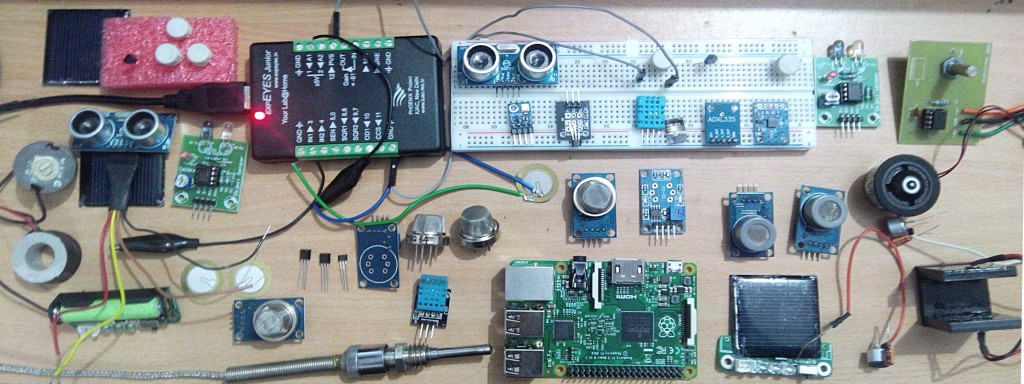
 Here is my kitchen converted to a work space, my GSoC Lab:)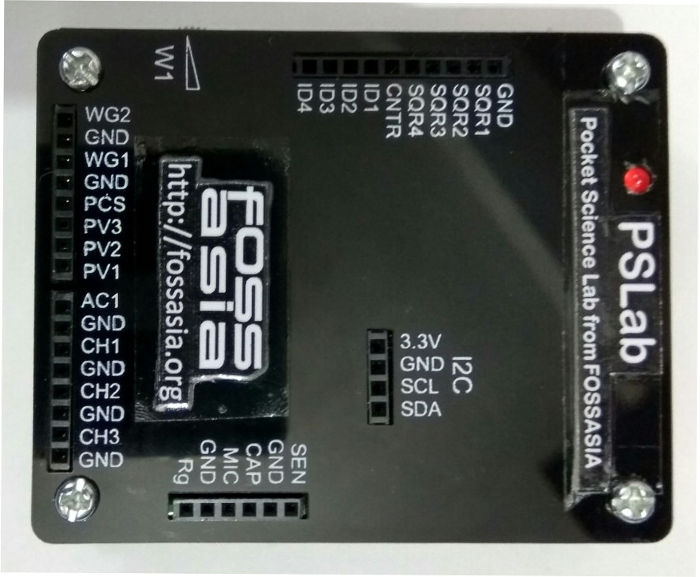


You must be logged in to post a comment.