
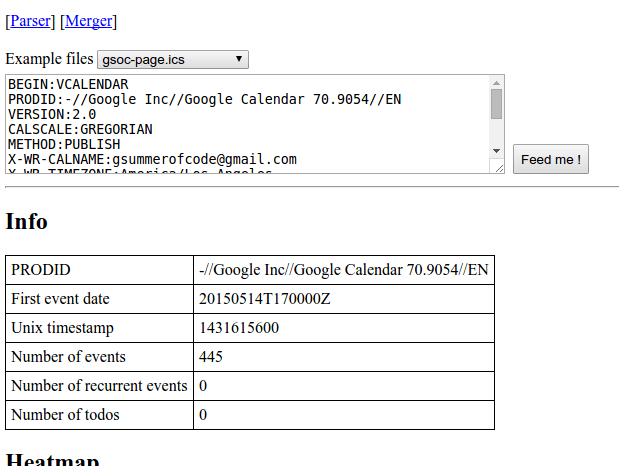
 Screenshot 1


 FOSSASIA logo
For this task you need jquery and leaflet – an openstreetmap library. You also want to prepare an empty div for the embed map :
<html>
<head>
    <link rel="stylesheet" href="http://cdn.leafletjs.com/leaflet-0.7.3/leaflet.css"/>
</head>
<body>
    <label for="latInput">Latitude</label>
    <input id="latInput"/>
    <label for="lngInput">Longitude</label>
    <input id="lngInput"/>
    <div id="map" style="height : 200px"></div>
    <script src="http://cdn.leafletjs.com/leaflet-0.7.3/leaflet.js"></script>
    <script src="https://code.jquery.com/jquery-1.11.3.min.js"></script>
<body>
</html>
Now, let’s instanciate the div using the leaflet API. A tile layer must be provided, in this example I’m using mapbox but there are other tile providers as well :
var mapCenter = [22, 87];
var map = L.map('map', {center : mapCenter, zoom : 3});
L.tileLayer('https://{s}.tiles.mapbox.com/v3/{id}/{z}/{x}/{y}.png', {
maxZoom: 18,
attribution: 'Map data © <a href="http://openstreetmap.org">OpenStreetMap</a> contributors, ' +
'<a href="http://creativecommons.org/licenses/by-sa/2.0/">CC-BY-SA</a>, ' +
'Imagery © <a href="http://mapbox.com">Mapbox</a>',
id: 'examples.map-i875mjb7',
noWrap : true
}).addTo(map);When the user clicks on the map, I want to point a marker to their choice and display a popup with choosen coordinates. That’s what updateMarker function is good for :
var marker = L.marker(mapCenter).addTo(map);
var updateMarker = function(lat, lng) {
    marker
        .setLatLng([lat, lng])
        .bindPopup("Your location :  " + marker.getLatLng().toString())
        .openPopup();
    return false;
};
The last missing piece is, on map click event, updating the lat and lng inputs :
map.on('click', function(e) {
    $('#latInput').val(e.latlng.lat);
    $('#lngInput').val(e.latlng.lng);
    updateMarker(e.latlng.lat, e.latlng.lng);
});
Now if you need the other way around – enter manually the input fields to update the marker, it could be easily done as well, by capturing a useful event associated with HTML input tag – the… input event :
var updateMarkerByInputs = function() {
	return updateMarker( $('#latInput').val() , $('#lngInput').val());
}
$('#latInput').on('input', updateMarkerByInputs);
$('#lngInput').on('input', updateMarkerByInputs);
That’s about it ! Check out this tutorial on Gist and JSFiddle.
References :
- FOSSASIA API generator page http://api.fossasia.net/generator/index.html
- https://blog.fossasia.org