
Pdfinator v0.1 – Convert Images to PDFs
There are number of ways to generate pdf’s from different file types. LibreOffice offers pdf generation from office documents for a long time and there is a simple terminal command to convert images to pdfs with ImageMagick.
But nevertheless there are instances, where people would like to have a simple pdf converter with a graphical interface. Tom Lechner and I sat together and worked on this idea together with input from Mario Behling.
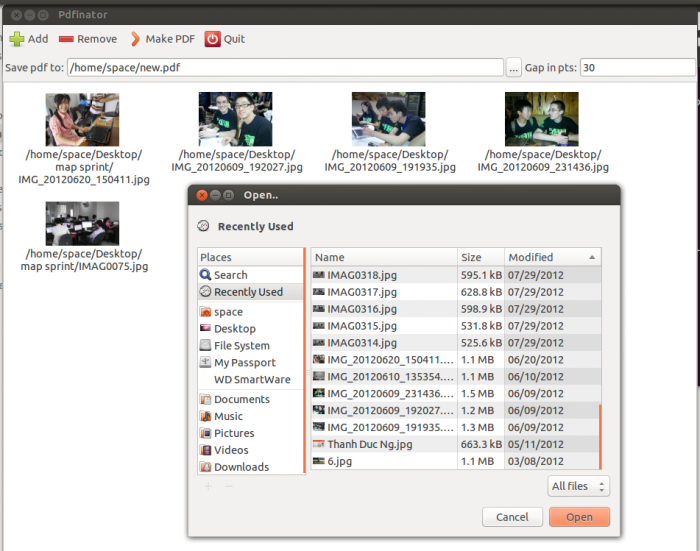
So, here it is: Pdfinator
Create a pdf from a number of images. It uses ImageMagick convert to make non-jpegs into jpegs for inclusion.
You find the code on github here: https://github.com/mariobehling/pdfinator
We will be offereing packages for different Linux distributions soon too.
For your reference there is also this way, if you want to try to generate PDFs or images from command line.
You simply follow the steps below:
1. Install ImageMagick e.g. in Ubuntu – https://help.ubuntu.com/community/ImageMagick
2. Open the terminal and go to the directory of the files, e.g. /home/fossasiauser/Documents
- cd /home/hongphuc/Documents
3. To convert pdfs to images, use the terminal and type
- convert hongphuc.pdf hongphuc.jpg
4. To convert images to pdfs use the following command
- convert *.jpg hongphuc.pdf